联络我们

User Navigation Made Easy: Best Practices for 2026

路易斯-兰伯特

1 月 21, 2026 • 10 min read

警告:部分内容为自动翻译,可能不完全准确。

The Value of Good User Navigation Today

In today’s fast-moving digital landscape, user navigation is the backbone of every website. Visitors expect to find what they need quickly, and confusing menus or hidden pages can create frustration and drive them away. Websites with clear, intuitive navigation not only keep users engaged but also reinforce trust and brand credibility. Businesses that prioritize navigation are already gaining a competitive edge by making the user experience effortless from the very first click.

Good navigation starts with understanding the user journey. It’s about organizing content logically, using familiar labels, and providing visible cues that guide visitors naturally. Simple menus, clear headings, and easy-to-follow pathways help users complete tasks efficiently, whether they are browsing products, reading content, or making a purchase. When navigation feels seamless, users stay longer, interact more, and return again.

More than just structure, modern navigation must also account for mobile and accessibility standards. People access websites on a variety of devices, and attention spans are shorter than ever. Fast-loading pages, responsive menus, and clear visual cues make it easier for everyone to move through a site. By focusing on user navigation best practices, businesses can create websites that are not only easy to use but also drive engagement, conversions, and long-term loyalty.

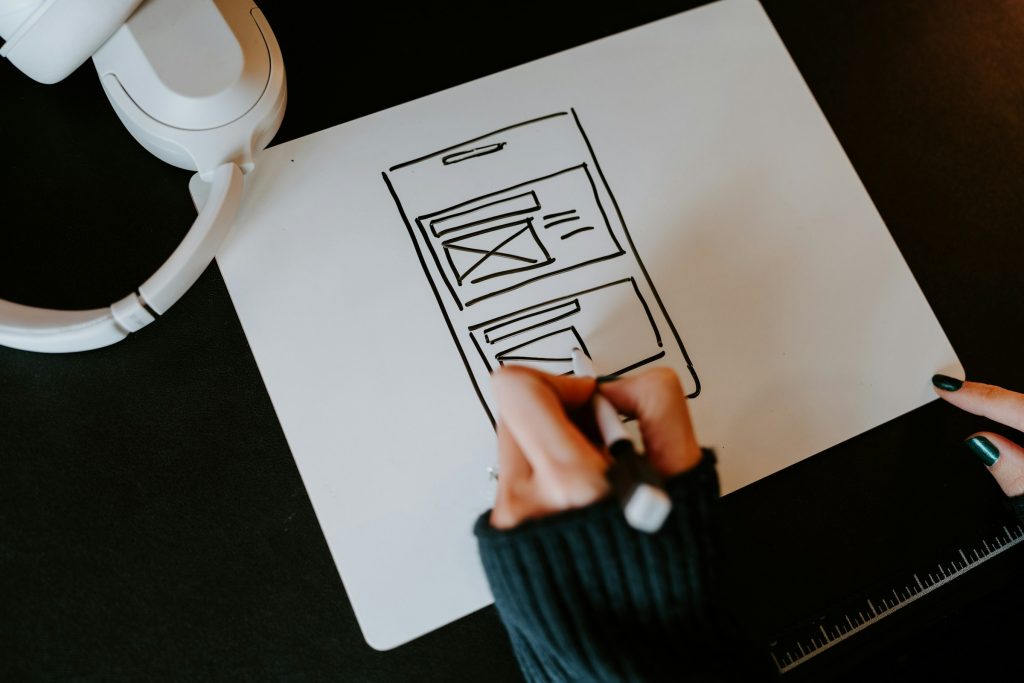
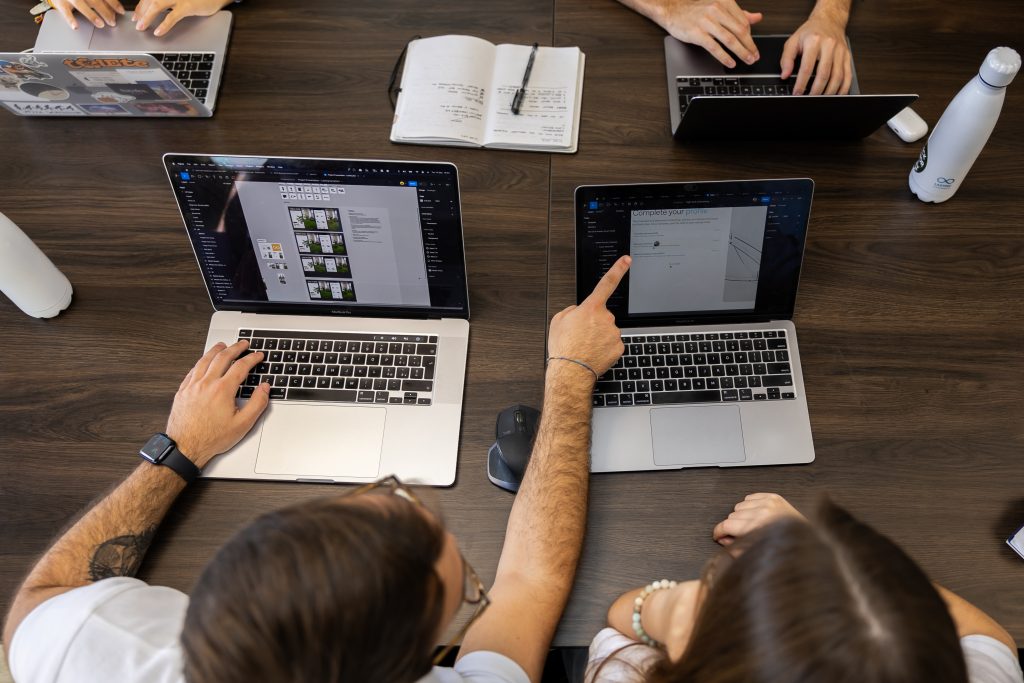
User navigation is vital for a good page/app

User navigation is vital for a good page/app. Photo by Kelly Sikkema on Unsplash: https://unsplash.com/photos/a-person-drawing-a-picture-on-a-piece-of-paper-ks0Z4oeFiOk

1. Let's Start with the Basics: What Is User Navigation?

User navigation is how visitors move through your website. It includes menus, links, buttons, and search bars, the tools that guide people from one page to another. Think of navigation as a map: a clear map helps users reach their destination easily, while a confusing one leaves them lost and frustrated.

Good navigation is simple, predictable, and intuitive. Users should know where to click next without having to think twice. This requires understanding the tasks your visitors want to complete and making those tasks easy to accomplish at every step.

Every website, whether large or small, benefits from prioritizing navigation. Consistent structure, logical menus, and easy-to-find links create a seamless experience. When users feel confident moving around your site, they stay longer, explore more, and are more likely to take the actions you want.

2. How is User Navigation in Websites Today?

Modern users visit websites with specific goals in mind. Whether they want information, a product, or customer support, they expect to find it quickly. If your site doesn’t deliver, they leave. With mobile use surpassing desktops, navigation must work smoothly on all devices, keeping users on track regardless of screen size.

Speed and clarity are essential. Users expect fast, straightforward paths without dead ends or hidden pages. Overly complex menus or hard-to-find links create frustration and drive visitors away, reducing engagement and conversions.

Understanding how people move through websites today helps designers make smarter navigation choices. Aligning navigation with user habits, like tapping instead of scrolling, scanning instead of reading, ensures that every click feels natural. Websites that match these expectations keep visitors engaged and encourage repeat visits.

打造卓越软件

让我们一起创造非凡。
Lasting Dynamics 提供无与伦比的软件质量。

发现我们的服务

3. The Building Blocks of Great User Navigation

Great navigation begins with the essentials: a clear main menu, easily located links, and a logical page hierarchy. The main menu should highlight your most important pages, such as Home, About, Services, and Contact. Submenus can organize related content, but keeping them shallow, two levels at most prevents confusion.

The homepage plays a crucial role in navigation. It’s the first thing visitors see, so it should guide them naturally to the key sections of your site. Clear labels and limited choices help users understand where to go next without feeling overwhelmed.

Consistency is also vital. Placing menus in familiar locations, like a top navigation bar, builds comfort and confidence as users explore. When navigation feels natural and reliable, visitors can focus on your content, products, or services rather than figuring out how to move around the site.

4. Common Navigation Mistakes (and How to Avoid Them)

Many websites repeat the same navigation errors, which frustrate users and reduce engagement. Menus with too many items, confusing jargon, or links that are hard to see can leave visitors unsure where to click next. Hiding important pages under multiple submenus forces extra clicks and slows down the user journey.

Broken links and inconsistent layouts are also major pain points. If a menu changes from page to page, users may feel lost or unsure if they are still on the same site. Even small inconsistencies can erode trust and create a poor impression.

Avoiding these mistakes is simple if you focus on clarity and regular checks. Keep menus concise, labels understandable, and layouts consistent. Test your navigation often and fix broken links promptly. A well-maintained site keeps visitors happy, encourages exploration, and prevents missed opportunities.

5. Designing User Navigation for Web - Best Options

The best navigation starts with clarity and purpose. Begin by mapping your website’s main goals and building a menu that supports them. Use familiar, simple language, like “Shop” instead of “Product Portfolio”, so visitors immediately understand where each link leads.

Homepage navigation is particularly important because it sets the tone for the entire site. Highlight popular or essential sections and consider adding a search bar on larger sites, allowing users to go directly to what they need. Breadcrumbs are also helpful, giving visitors a clear path to backtrack if they lose their way.

Logical structure, clear labels, and intuitive pathways make navigation feel effortless. By designing menus that reflect user needs, you create a smoother browsing experience. Visitors stay longer, engage more, and return more often when they can move through your site without confusion.

创新数字化未来

从创意到发布,我们根据您的业务需求量身打造可扩展的软件。
与我们合作,加速您的成长。
联系我们

Tools for Creating User-Friendly Navigation

  • Content management system (CMS) plugins: WordPress, Wix, Shopify navigation tools
  • Website builders: Squarespace, Webflow, Wix for drag-and-drop menus
  • Accessibility checkers: WAVE, Lighthouse for ensuring all users can navigate
  • User analytics: Google Analytics, Hotjar to track navigation paths
  • A/B testing tools: Optimize menu labels and layouts for best results
lastingdynamics97

Navigation UX focuses on making your website usable and enjoyable for all visitors. This includes readable fonts, sufficient color contrast, and buttons large enough to tap easily on mobile devices. Thinking about accessibility ensures that people using screen readers or assistive technologies can navigate your site without barriers.

Inclusive navigation benefits everyone. Users with different needs, devices, or abilities can explore your website comfortably, which increases engagement and satisfaction. A site that is hard to navigate risks losing both potential customers and loyal returning visitors.

Investing in navigation UX also strengthens your brand. When visitors move smoothly through your site, they focus on your content and services instead of struggling to find them. Thoughtful design helps users complete tasks faster, enjoy their experience, and feel confident returning in the future.

7. Homepage Navigation Design - First Impressions Matters

Your homepage is the digital front door of your website. Visitors decide in seconds whether to stay or leave, so navigation must be obvious and intuitive. Place the main menu where users expect it, usually at the top or side and use clear, familiar labels. Avoid clever or abstract names that might confuse people.

Include links to your most important pages and consider a visible call-to-action, like “Contact Us” or “Shop Now.” These elements should guide users naturally toward the tasks you want them to complete. Limiting top-level menu items to five to seven choices keeps decisions simple and prevents overwhelming visitors.

Consistency and clarity make your homepage feel reliable. When users can quickly see where to go, they feel confident exploring the rest of your site. Thoughtful homepage navigation sets the tone for the entire user experience and encourages visitors to stay longer and return in the future.

8. Testing and Improving Your Navigation

Launching a website is just the beginning of the navigation journey. Regular testing with real users helps identify areas where visitors struggle or get stuck. Watch how they click, where they pause, and what feedback they provide to spot opportunities for improvement.

Analytics tools provide another layer of insight. Track which pages are most visited, where users drop off, and which links are rarely clicked. These patterns reveal hidden obstacles in your navigation and guide effective adjustments.

Even small tweaks can make a big difference. Renaming a menu item, moving a link to a more visible spot, or simplifying a submenu can improve engagement, reduce frustration, and create a smoother overall experience. Regular testing keeps navigation aligned with user needs and helps your website perform at its best.

驱动成果的软件

我们设计并打造脱颖而出的高品质数字产品。
每一步都可靠、高效、创新。

立即联系我们

Some Interesting Navigation Features (For Different Purposes)

  • Sticky menus: Menus that stay visible as users scroll
  • Breadcrumbs: Show users their path and let them move back easily
  • Dropdown menus: Group related pages under one heading
  • Mega menus: For large sites, display many links in a clear, organized panel
  • Search bars: Let users quickly find what they’re looking for
  • Clear icons: Use simple icons for common actions (home, search, cart)
  • Highlighting active pages: Show users where they are now

Navigation in 2026 is smarter, faster, and more personal. New tools like AI-powered menus suggest links based on user behavior, while voice navigation allows visitors to speak their requests and get instant results. Personalization, such as remembering returning visitors’ previous choices, is also becoming more common.

Despite new technologies, the fundamentals remain the same. Clear, simple navigation always outperforms flashy or overly complex designs. Users appreciate websites where they can find what they need quickly and without frustration.

Staying aware of trends helps keep your site modern and relevant, but never lose sight of usability. Focusing on straightforward paths, logical menus, and consistent structure ensures visitors can navigate easily today and in the years to come.

Understanding how visitors move through your website is key to improving navigation. Analytics tools help track clicks, pages per session, and where users drop off. Heatmaps, session recordings, and conversion funnels show exactly which areas are confusing or underused.

Using this data, small changes can make a big difference. Renaming menu items, moving links to more visible spots, or reorganizing page hierarchies helps users find what they need faster. Regularly reviewing analytics ensures navigation evolves alongside your audience’s behavior.

By paying attention to metrics, businesses can create smoother, more intuitive experiences. Data-driven navigation not only improves satisfaction but also supports engagement, retention, and conversions. The best websites combine design intuition with measurable insights to keep users happy and goals on track.

11. Interactive User Navigation Features for Modern Websites

Interactive features make navigation not just functional but engaging. Megamenus, sticky headers, and clear visual cues guide visitors seamlessly through large websites. Thoughtful animations, icons, and microcopy help users understand their next step without feeling overwhelmed.

Modern navigation also anticipates user needs. Contextual menus, smart suggestions, and predictive link placement let visitors reach their goals faster. Features like search bars with autocomplete or quick-access shortcuts improve efficiency on both desktop and mobile.

When designed carefully, interactive navigation adds both clarity and personality to your site. Visitors move more confidently, explore more pages, and return more often. Combining usability with subtle interactions creates a modern, professional, and enjoyable browsing experience.

12. User Navigation in Action with Lasting Dynamics Projects

At Lasting Dynamics, we know that great user navigation is at the heart of every successful digital product. Our experience designing complex platforms and user-friendly interfaces gives us the insight to create websites and applications that guide visitors naturally, reduce friction, and improve engagement. Clear paths, intuitive menus, and thoughtful layouts are principles we apply across all our projects.

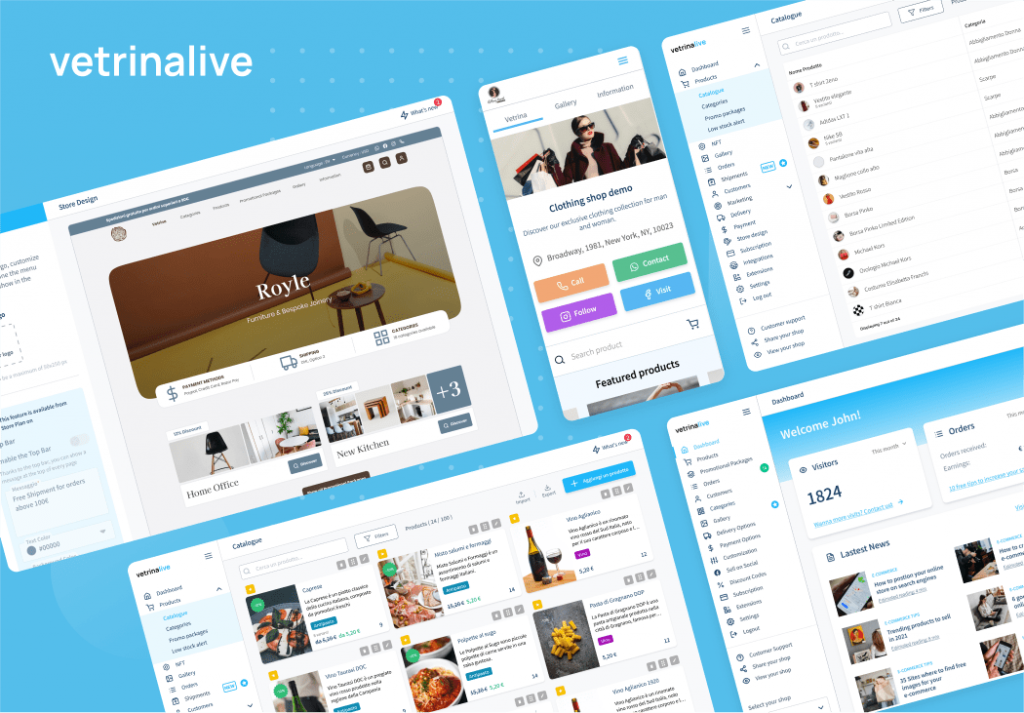
采取 VetrinaLive, for example. This e-commerce platform focuses on helping users browse, search, and purchase products effortlessly. From well-organized product catalogs and filters to prominent calls-to-action, the navigation is designed to make every step of the shopping experience simple and predictable. Visitors can quickly find what they need, which keeps them engaged and increases the likelihood of conversion.

In healthcare, 婴儿 demonstrates how navigation supports critical workflows. The platform connects doctors, caregivers, and care teams through dashboards, patient records, and secure communication channels. Thoughtful menu structures and contextual navigation ensure that users can access information quickly and safely, which is essential in time-sensitive environments.

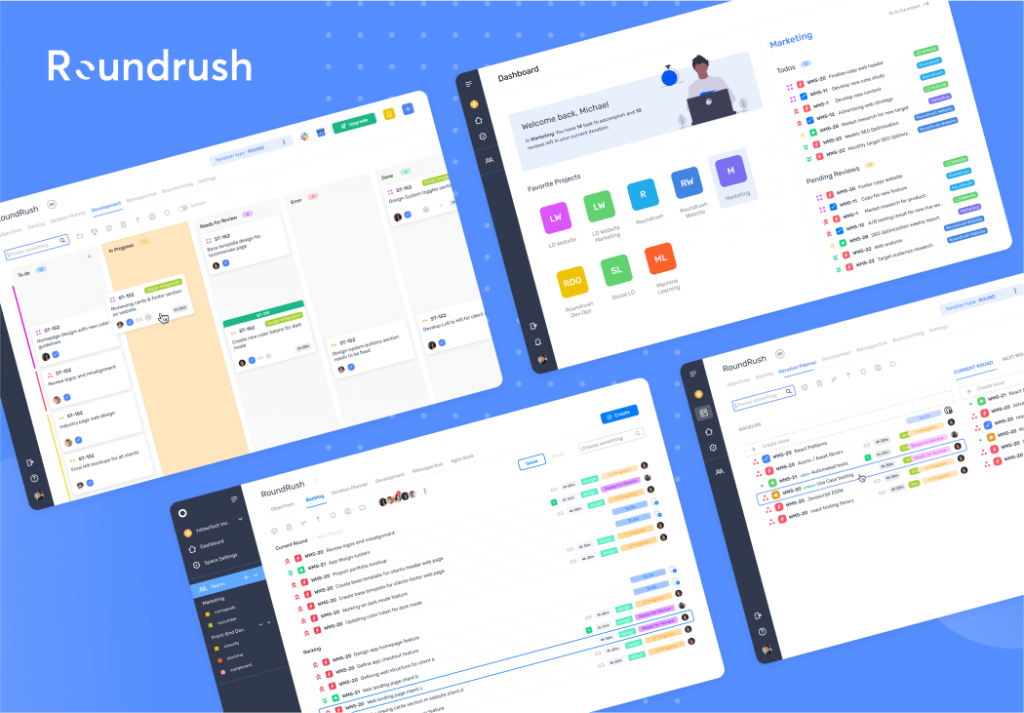
Similarly, RoundRush shows how productivity tools can balance complexity with clarity. Its navigation allows users to manage tasks, projects, and workflows efficiently, with consistent menus and shortcuts that reduce confusion. Across all these projects, the lesson is clear, smart navigation improves usability, builds trust, and ensures that digital experiences are not only functional but enjoyable.

Final Thoughts with User Navigation

User navigation is the secret to a successful website. When visitors can move around easily, they spend more time exploring your content, feel confident in your brand, and are more likely to complete desired actions. Clear menus, intuitive paths, and consistent layout all contribute to a smoother experience that keeps users coming back.

Focusing on navigation in 2026 is more important than ever. With mobile browsing on the rise and attention spans shorter than ever, websites need to be straightforward and predictable. A well-structured navigation system not only helps users find what they need quickly but also supports your business goals, whether that’s increasing engagement, boosting conversions, or building loyalty.

At Lasting Dynamics, we specialize in designing navigation that works for everyone. From simple menus to responsive layouts and accessible designs, we help businesses create websites that are easy to use and enjoyable to explore. Investing in user-friendly navigation today means happier visitors, better results, and a stronger online presence for tomorrow.

Want a website that’s easy to explore and keeps visitors coming back? 👉 联系 Lasting Dynamics today to create user navigation that works for everyone and makes your business shine in 2026.

常见问题

What is user navigation and why is it important?

User navigation is how visitors move through your website using menus and links. Good navigation helps people find what they need quickly, making their experience positive and keeping them coming back.

How can I improve navigation on my website?

Start with a simple, clear menu. Use familiar words, limit options, and keep important links easy to find. Test regularly with real users and use analytics to spot where people get stuck.

What are common mistakes with web navigation?

Too many menu items, confusing labels, hidden links, and broken pages are frequent problems. Overly complex navigation frustrates users and drives them away.

How often should I update my site’s navigation?

Review your navigation every few months or when you add new pages. Listen to user feedback and watch analytics for signs visitors are struggling.

Do navigation best practices change for mobile devices?

Yes! Make sure menus are easy to tap, use large buttons, and test on phones and tablets. Mobile-friendly navigation is essential as most users browse on mobile.

您的愿景,我们的准则

将大胆的想法转化为强大的应用。
Let’s create software that makes an impact together.

Let’s talk

路易斯-兰伯特

我是一名多媒体设计师、文案和营销专家。我正在积极寻求新的挑战,以挑战自己的技能,实现职业成长。

客户学院
预约电话
<?xml version="1.0"? <?xml version="1.0"?